KRN Crosshair KRN: Crosshair Auto Farm Hub
Feature-by-feature map of the circulating Kill Murderer / auto grind script—with safety context.
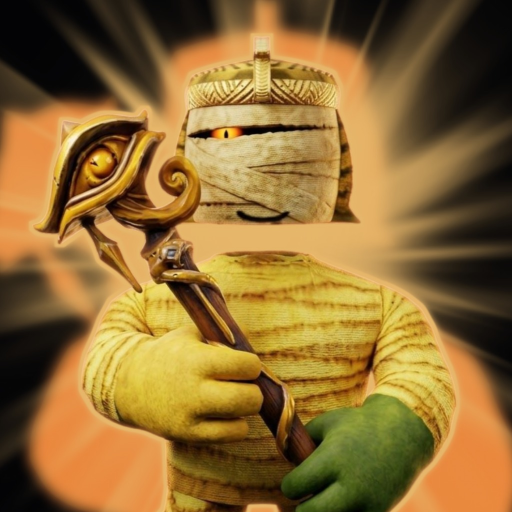
This page documents the circulating auto farm hub players associate with KRN: Crosshair—the Frist’s Clothing Roblox survival title built around last-standing gamemodes, weapon pickups, and event leaderboards. Community posts commonly brand it as a Yuri-style hub with Kill Murderer, Auto Coins, crate automation, salvage helpers, and ESP. Use the write-up to understand claims and risks. It is not a recommendation to break Roblox rules.
For the wider landscape, return to the Scripts Hub. For free legitimate gifts, use Codes and How to Redeem. For manual onboarding, stay on Getting Started.
Snapshot loadstring (changes without notice)
Players often paste a two-line bootstrap:
_G.autoExec = false
loadstring(game:HttpGet("https://raw.githubusercontent.com/iLove-yuri/leeeeesbian/refs/heads/main/homumado.lua"))()
_G.autoExec = false usually means the hub should not auto-run every toggle until you click options yourself. The second line pulls remote Lua over HttpGet. Remote files can be edited by the host at any time—today’s menu is not tomorrow’s payload. Listings frequently require a key system before the UI unlocks.
Feature breakdown mapped to game systems
KRN: Crosshair progression is not a mystery box of random buzzwords. Script menus mirror real systems:
Economy and daily loop
- Auto Coins — Attempts to farm the primary soft currency so you buy, upgrade, or unlock without manual round value. Useful on paper during long sessions; obvious on leaderboards if gains look inhuman.
- Auto Quest — Pushes quest objectives that normally steer new and returning players. Automating them skips the learning that quests were designed to teach.
- Auto Open Crates + Crate Currency — Opens crates or spends crate-specific currency when balances allow. Bad filters waste rare currency on low-value boxes after a prestige.
Inventory quality loop
- Auto Salvage + Salvage Rarity — Salvages gear with rarity-aware rules. Smart manual salvage already separates fodder from keepers; a buggy filter can delete items you meant to craft with.
- Auto Craft — Crafts when recipes and mats line up. Pairing this with blind salvage is how players brick a craft tree.
- Auto Equip Best — Swaps to higher-stat guns or loadouts as inventory changes mid-session.
Prestige and long-term rank
- Auto Prestige — Fires prestige when thresholds hit. Prestige is a deliberate reset with payoff; autopiloting it during an event weekend can wipe momentum you cared about.
Round combat and roles
- Auto Pickup Gun — Grabs weapons during chaotic 1 vs All rounds so you are not empty-handed.
- Teleport To Shoot — Repositions for shots. Strong unfair advantage; also a common detection and report magnet.
- Kill Murderer — Focuses the Murderer role or equivalent threat so you stabilize rounds. In a max-12 survival server, this warps the intended hide-and-hunt tension.
- Roles ESP / Styles ESP / Items ESP — Extra vision for roles, styles, and items. ESP is easy for other players to notice when you always “guess” correctly.
Together, the hub tries to cover early AFK value (coins, quests, crates), inventory hygiene (salvage, craft, equip), prestige pacing, and round dominance (guns, teleport, Kill Murderer, ESP). That breadth is why it spreads—and why it is risky.
How players typically load executors (generic)
Without endorsing any brand, the usual pattern looks like this:
- Install a third-party executor capable of running injected Lua on a Roblox client (desktop is more common; mobile claims vary and break often).
- Log into Roblox and join the official KRN: Crosshair place.
- Attach or inject the executor after the client is stable.
- Paste the loadstring into the executor editor.
- Press Execute / Run, complete any key prompts on external sites if the script demands them, then configure toggles in the on-screen hub.
- Start with one low-impact toggle if you insist on testing—never enable Kill Murderer, teleport, and auto prestige together on a fresh paste.
Compatibility lists rot quickly after Roblox client updates. “Works on everything” marketing is usually false within days of a patch.
Safety notes you should not skip
- Ban risk is real. Automation, ESP, and kill helpers violate Roblox TOS. High-concurrent games after patch spikes attract reports.
- Key systems are phishing-prone. Never type your Roblox password into a key wall. Prefer not completing keys at all.
- Remote code is mutable. A GitHub path that looked fine yesterday can serve malware tomorrow.
- UI hooks break. After Frist’s Clothing ships UI or economy changes, Auto Quest or Auto Open Crates may click nothing—or click the wrong thing.
- Mixed clients confuse redeeming. If you also claim codes, redeem on a clean session so script errors do not hide success toasts—see How to Redeem Codes.
- Alt accounts are not a free pass. Burning alts still risks hardware or payment flags depending on how you play.
If anything about a paste feels off—unexpected Discord invites, forced downloads, clipboard hijacks—close Roblox and stop.
Manual grind alternatives (recommended)
You can cover the same systems without an executor:
- Quests first. Treat Auto Quest targets as a checklist you finish yourself each login.
- Coins with intent. Play modes that pay for the time you have; do not AFK in empty behaviors that look scripted.
- Salvage with rarity rules. Keep craft fodder, junk the rest; write your own rarity cutoff instead of trusting Auto Salvage.
- Crates on a budget. Spend crate currency when you understand the current loot table after reading Updates.
- Craft for the loadout you use. Ignore craft spam that does not raise your survival rate.
- Prestige on purpose. Prestige when bonuses outweigh the reset—never because a toggle flashed green.
- Learn roles and gun routes. Murderer awareness and pickup paths beat Kill Murderer macros for skill growth.
- Stack real freebies. Test community strings on the Codes Hub after patches instead of buying shady “private farms.”
New players should live in Getting Started until the HUD, roles, and currency sinks feel obvious. Scripts amplify confusion; they rarely teach the game.
When a farm “stops working”
After a November-style update spike (large concurrent jumps are common when Frist’s Clothing ships content), expect some mix of:
- HttpGet 404 or empty responses
- Key link rotation
- Toggles that open but do nothing
- Instant kicks when ESP or teleport fires
- Copycat pages hosting different Lua under the same marketing name
Recheck the Scripts Hub for context, skim Updates for what actually changed in-game, and assume breakage is normal. Chasing every mirror increases malware exposure.
Bottom line
The circulating auto farm hub is popular because it names every major KRN: Crosshair system—Coins, Quests, Crates, Salvage, Craft, Prestige, guns, Murderer pressure, and ESP. That mapping makes it easy to explain and easy to abuse. If you value the account that holds your prestige and event rank, grind those systems yourself, redeem codes cleanly, and treat executors as a last-resort research topic—not a default playstyle.
Frequently Asked Questions
Quick answers about survival rounds, codes, and progression.
What is the KRN: Crosshair auto farm script?
A community hub that claims Auto Coins, crates, salvage, craft, prestige, gun pickup, Kill Murderer, teleport, and ESP. Remote code and keys make it risky and unstable.
Does Kill Murderer guarantee wins?
No. It is an unfair combat helper that can still fail, get you reported, or break after patches. Learning roles manually is safer long term.
Is the loadstring keyless?
Many listings require a key. Key pages are common scam vectors—never enter your Roblox password.
Can Auto Prestige ruin my progress?
Yes. Prestige resets layers of progress. Autopiloting it during events can wipe ranks you wanted to keep.
What is the safer alternative?
Manual quests, careful salvage and craft, planned prestige, gun route practice, and codes from the Codes Hub on a clean client.